


Conditions by Role
Show/hide menu items and modals based on WP role: admin, editor, subscriber, WooCommerce customer, custom roles.
WPAK-Menu-Condition
Show menus and modals by role, device or condition. Zero page builder dependency. Native WordPress. Lightweight.
One-time payment · All 5 plugins included · Lifetime OTA updates
JetMenu / Elementor Pro alternative — Zero page builder · Native WordPress · Save €59+/year
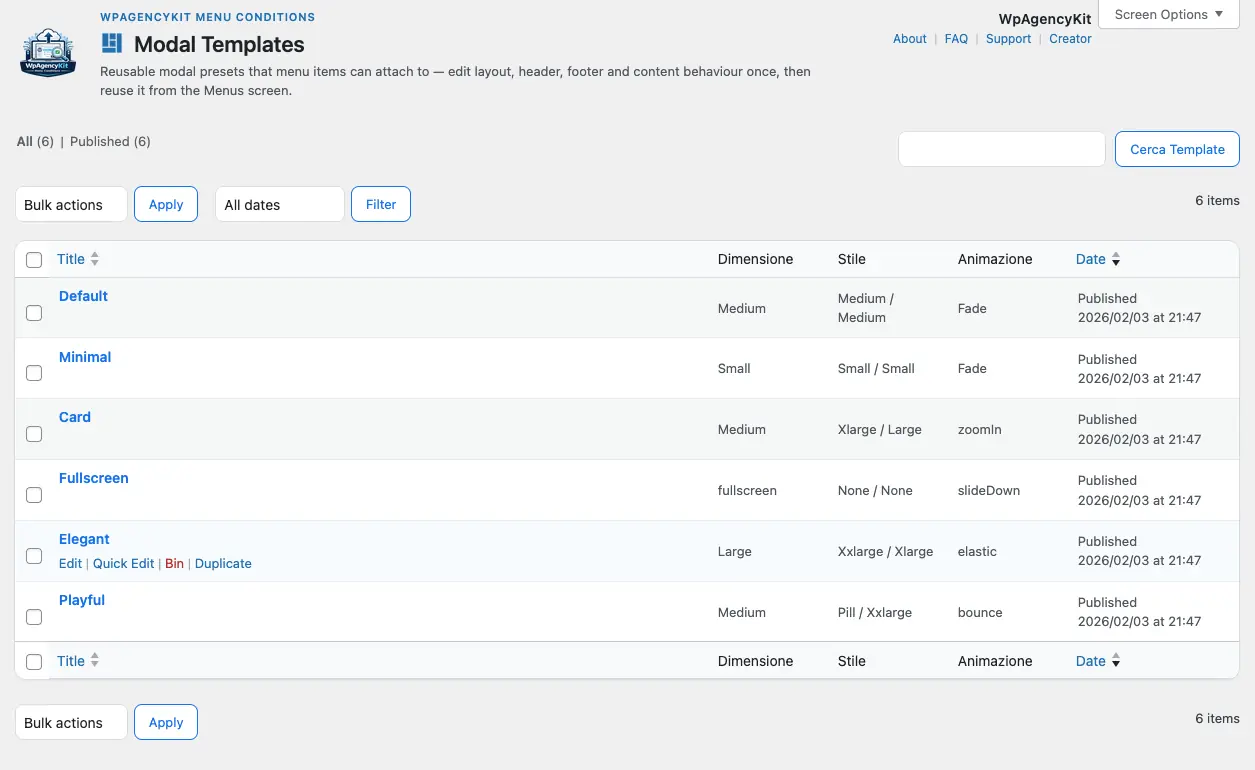
Inside the plugin
Conditional logic for menus and modals, without heavy dependencies.
Show/hide menu items and modals based on WP role: admin, editor, subscriber, WooCommerce customer, custom roles.
Desktop, tablet, mobile — separate logic per breakpoint, without CSS tricks or complex JS.
Logged-in/anonymous user, current page, category, tag, custom user meta. Combinable AND/OR rules.
Direct comparison
Direct comparison. Real data.
| Feature | WPAK-Menu-Condition | Elementor Pro / JetMenu |
|---|---|---|
| Page builder dependency | ✓ Zero — standalone plugin | ✗ Requires active Elementor |
| Performance impact | ✓ Lightweight — loads only when needed | ✗ Full page builder overhead |
| Native WordPress | ✓ Uses WP native menu system | ✗ Replaces WP system |
| Conditions by role | ✓ Full, including custom roles | ✗ Limited in base plan |
| Conditions by device | ✓ Included by default | ✗ Add-on or Elementor Pro required |
| Licence | ✓ Lifetime — bundle | ✗ €59+/year |
| Sites included | ✓ Up to 40 (Agency plan) | ✗ 1 site per licence |
| Staging free | ✓ Always | ✗ Counts as a site |
Workflow
WP Admin → Menus → select item → add rule (role, device, condition). Visual, no code required.
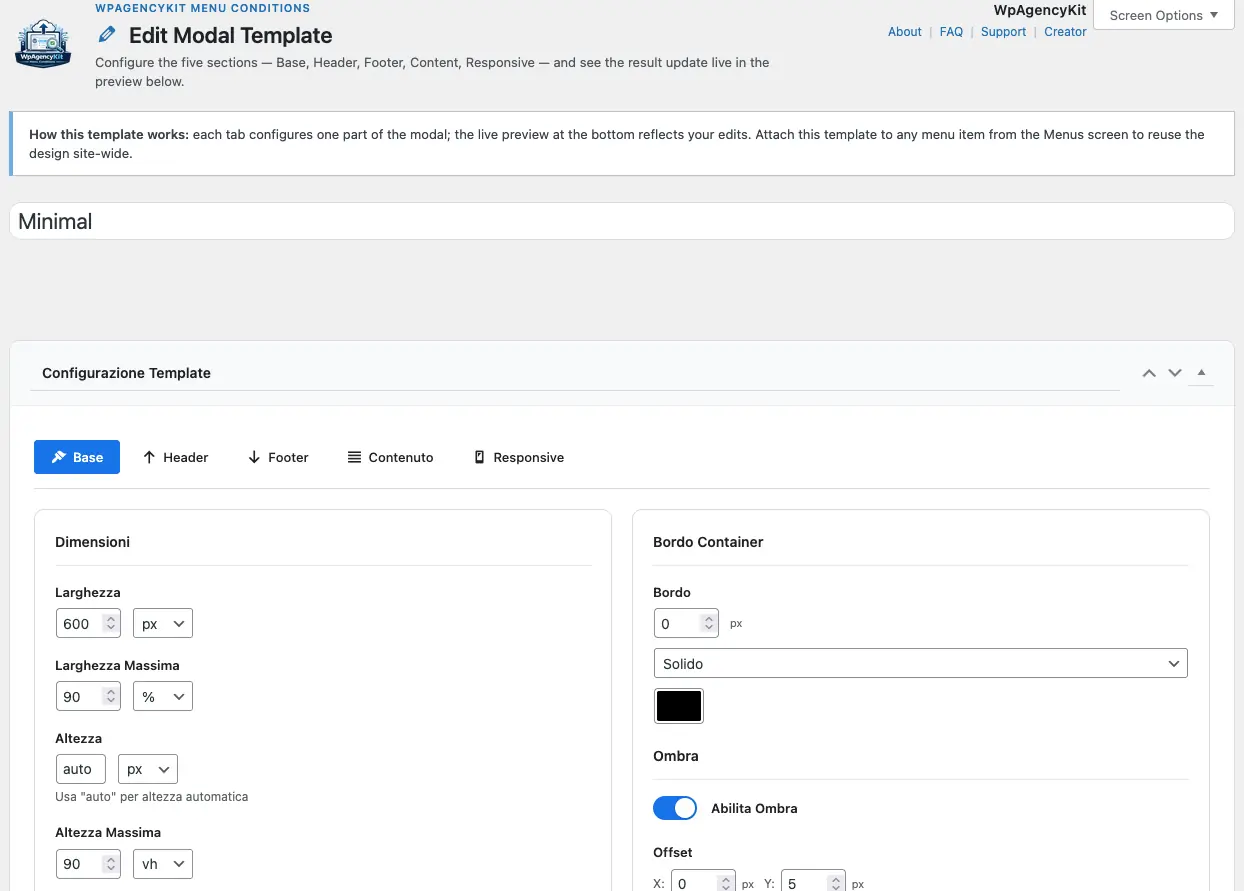
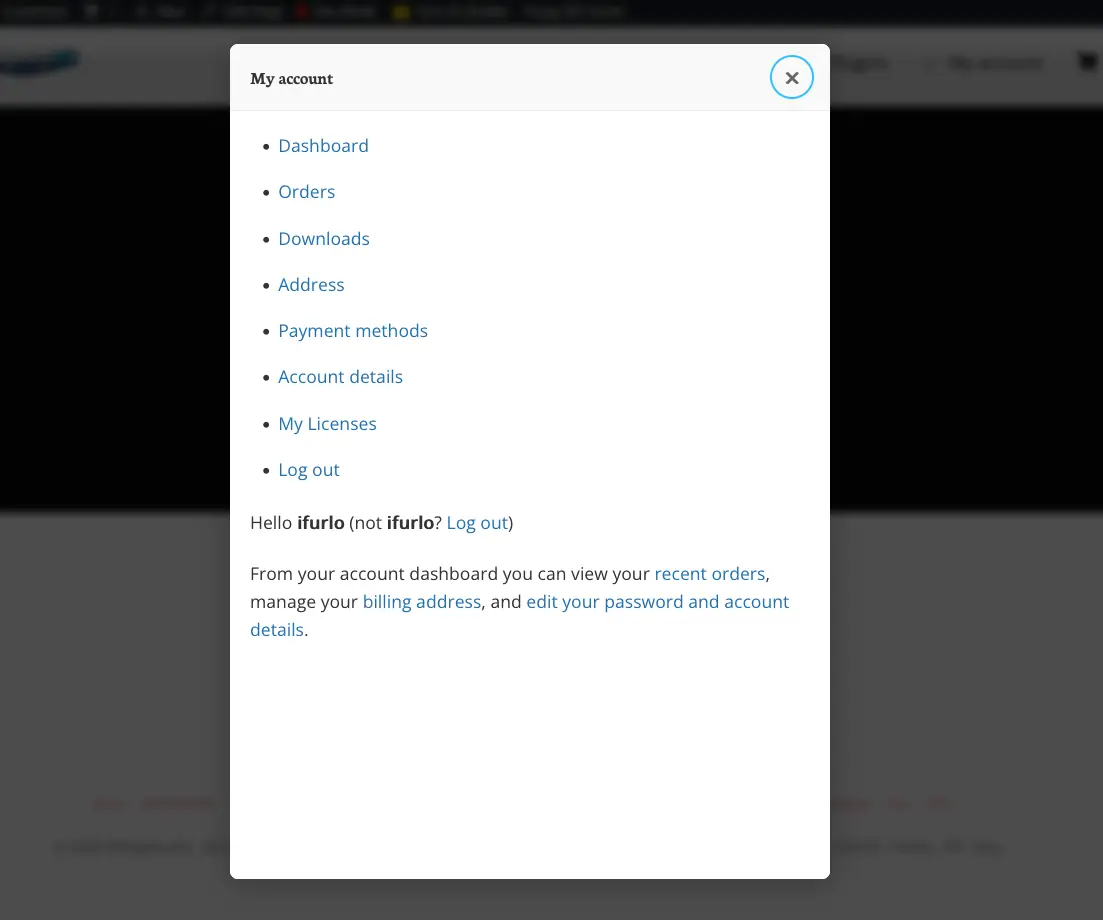
Built-in modal builder. Triggers: click, exit intent, scroll. Visibility conditions per modal.
Rules apply in real time. Test with different roles or incognito. No rebuild needed.
Product screens
FAQs
WPAK-Menu-Condition is a WordPress plugin that lets you show or hide menu items and modals based on roles, devices, and custom conditions, without relying on a page builder.
WPAK-Menu-Condition is designed for WordPress site owners, freelancers, agencies, and developers who want more control over menu visibility and user experience without adding heavy dependencies.
No. WPAK-Menu-Condition works independently and does not require Elementor or any other page builder to manage conditional menus and modals.
Yes. WPAK-Menu-Condition lets you control menu visibility by WordPress role, including standard roles and custom roles.
Yes. You can create separate visibility rules for desktop, tablet, and mobile, making it easier to adapt menus and modals to different devices.
WPAK-Menu-Condition is built around native WordPress menus and conditional logic, without the overhead and dependency of a page builder-based solution.
Yes. WPAK-Menu-Condition is included in the WPAgencyKit Bundle alongside the other WPAgencyKit plugins.
WPAK-Menu-Condition is offered as part of the WPAgencyKit Bundle, which is positioned as a one-time purchase rather than a recurring subscription.
No. WPAK-Menu-Condition is designed to make conditional menu management straightforward from within WordPress, without requiring a complex setup process.
No. WPAK-Menu-Condition is built to be usable without coding, so you can manage visibility rules directly from WordPress without writing custom logic.
Yes. You can show or hide menu items and modals based on WordPress user roles, including custom roles when needed.
Yes. WPAK-Menu-Condition lets you create different visibility rules depending on the device, helping you tailor navigation and modal behaviour across screen sizes.
Yes. WPAK-Menu-Condition works independently and does not depend on Elementor or any other page builder.
Yes. WPAK-Menu-Condition is suitable for agencies, freelancers, and professionals who need a flexible way to manage conditional navigation across multiple WordPress sites.
Yes. WPAK-Menu-Condition is built around a more native WordPress approach, which helps avoid the extra overhead that often comes with page builder-dependent solutions.
Yes. WPAK-Menu-Condition fits well into more structured WordPress setups where you need cleaner control over navigation, visibility logic, and user-specific experiences.
Included in the WpAgencyKit Bundle
All 5 plugins · Lifetime OTA updates · Staging always free