Skip to content

WPAK-Cookies

WpAgencyKit Cookies — GDPR Consent, 100% on your server.

Self-hosted cookie consent with a built-in tracker library, one-click site scanner and automatic Cookie Policy. No SaaS. No per-domain fees. Your data stays yours.

One-time payment · All 5 plugins included · Lifetime OTA updates

Iubenda / CookieYes / Complianz alternative — 100% self-hosted, zero per-site costs, transparent open code. Save €89+/year, every year.

WPAK-Cookies product artwork

Inside the plugin

Why WpAgencyKit Cookies exists

Most cookie plugins are either locked behind a SaaS (Iubenda, CookieYes) or a generic toggle UI that leaves you to figure out which scripts to block. WpAgencyKit Cookies sits in between: the ownership of a self-hosted plugin plus a real library of known trackers the admin can enable in one click — with an automatic scanner that tells you which ones you actually have on your site.

Server-side script blocker

Every third-party <script src> listed in the preset library is rewritten to type="text/plain" before the browser sees it. On consent, the runtime re-activates only the scripts the visitor approved. No race conditions, no "tracker slipping through before consent" bug.

Custom trackers

Add any proprietary pixel that isn't in the library: name, provider, category, script URL patterns, and optional cookie declaration rows. Custom trackers feed the same server-side blocker as the presets.

20-tracker preset library

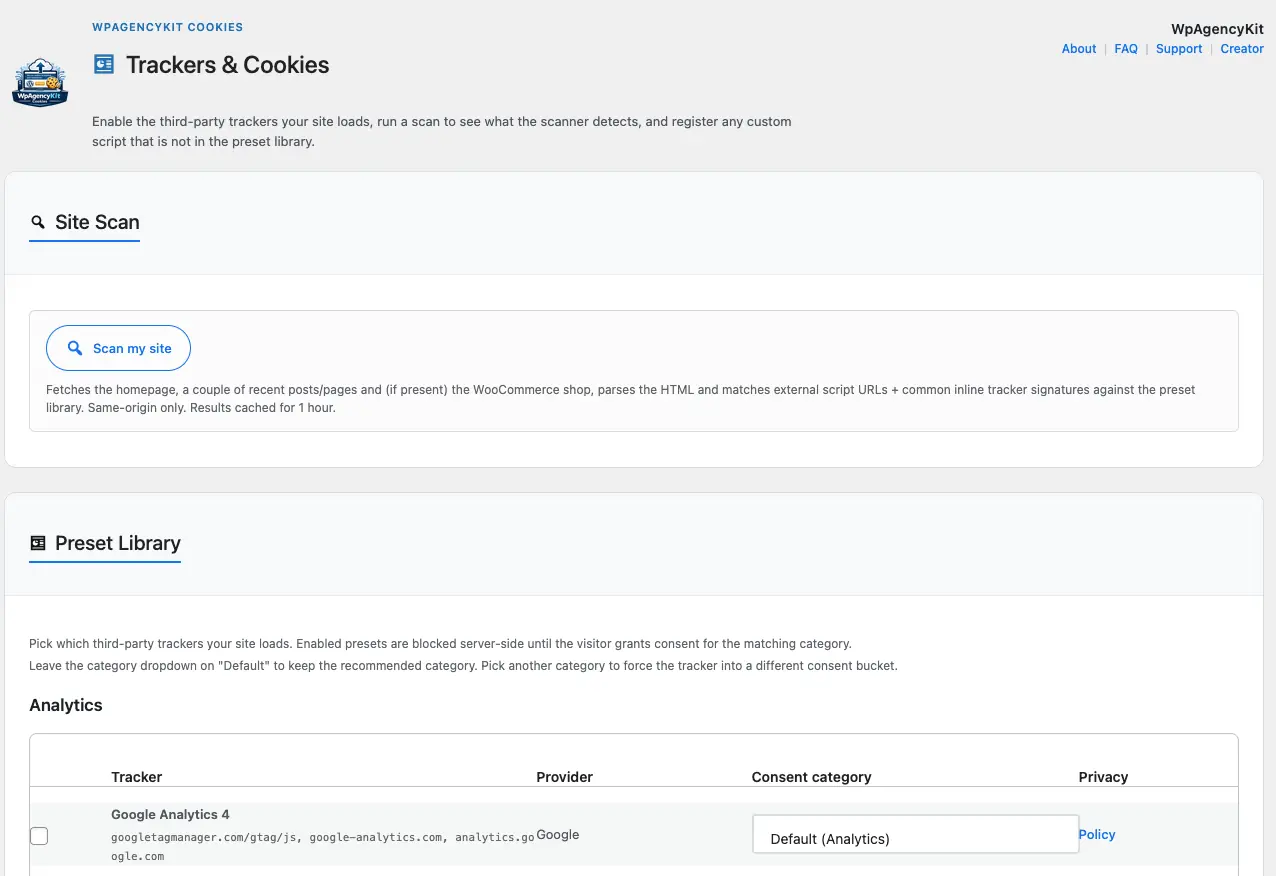
Google Analytics 4, Google Tag Manager, Meta Pixel, Microsoft Clarity, Hotjar, Matomo, Mixpanel, Amplitude, Plausible, Google Ads, DoubleClick, LinkedIn Insight, TikTok Pixel, Pinterest Tag, X Pixel, Snapchat, Reddit, YouTube embed, Google reCAPTCHA, Vimeo. Enable per-tracker with a checkbox, override the consent category per site.

Cookie Declaration shortcode

[wpak_cookies_declaration] renders a full, category-grouped cookie table on your Privacy/Cookie Policy page. Auto-updated from the trackers you enable. Each category honours the label you set in Banner Texts. No manual upkeep.

One-click site scanner

"Scan my site" fetches your homepage + recent posts + WooCommerce shop and parses the HTML for known tracker URLs and inline signatures (fbq(, gtag(, _paq.push, …). Tells you exactly which of the 20 presets to enable, plus any third-party script it couldn't recognise.

Admin dashboard + consent logs

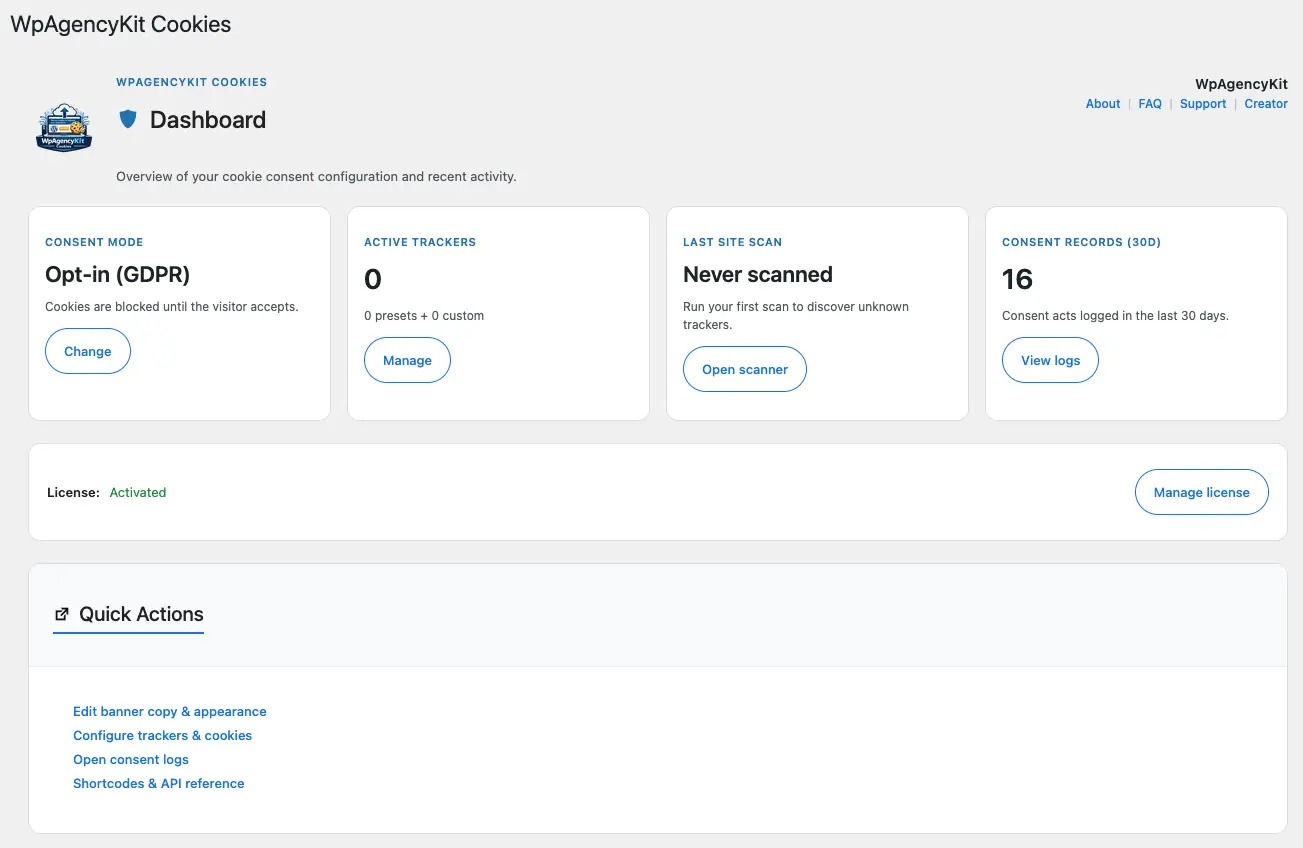
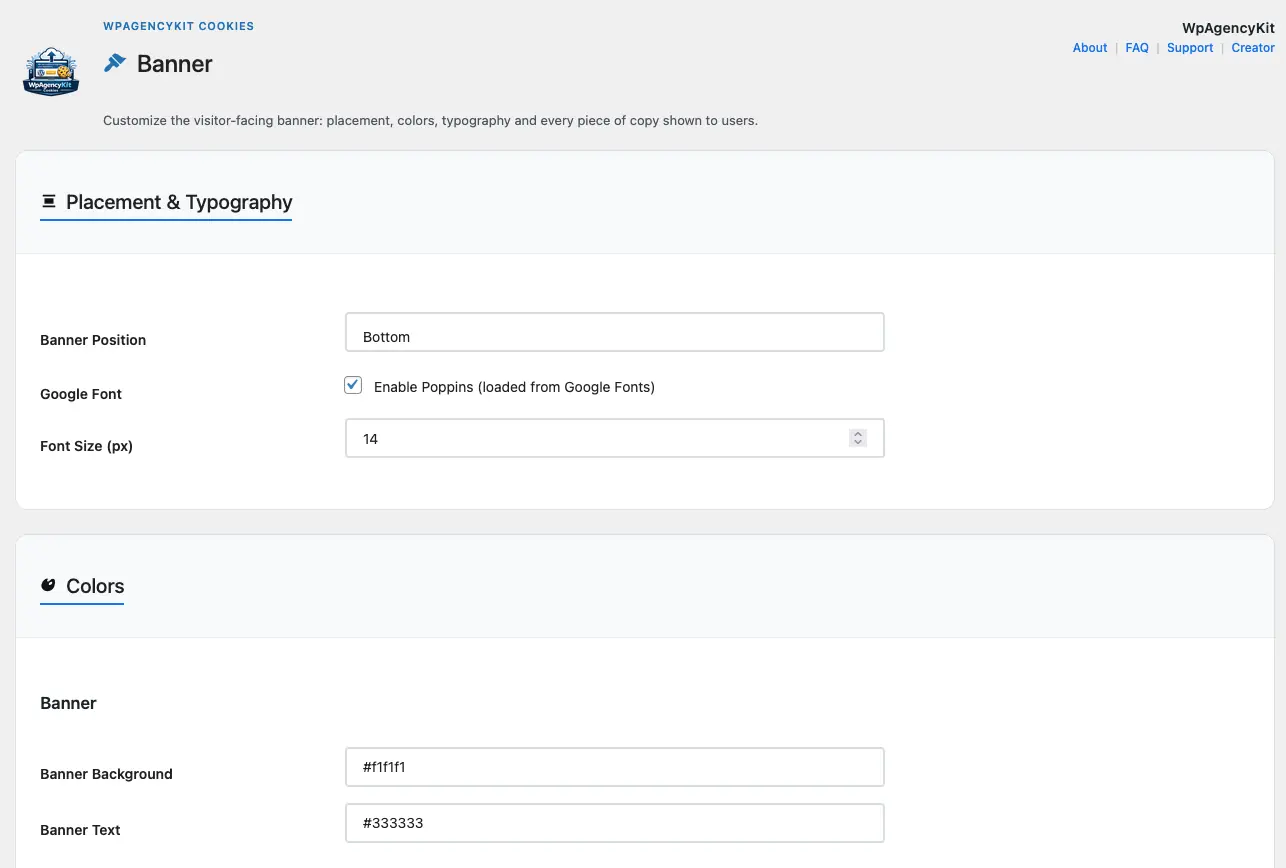
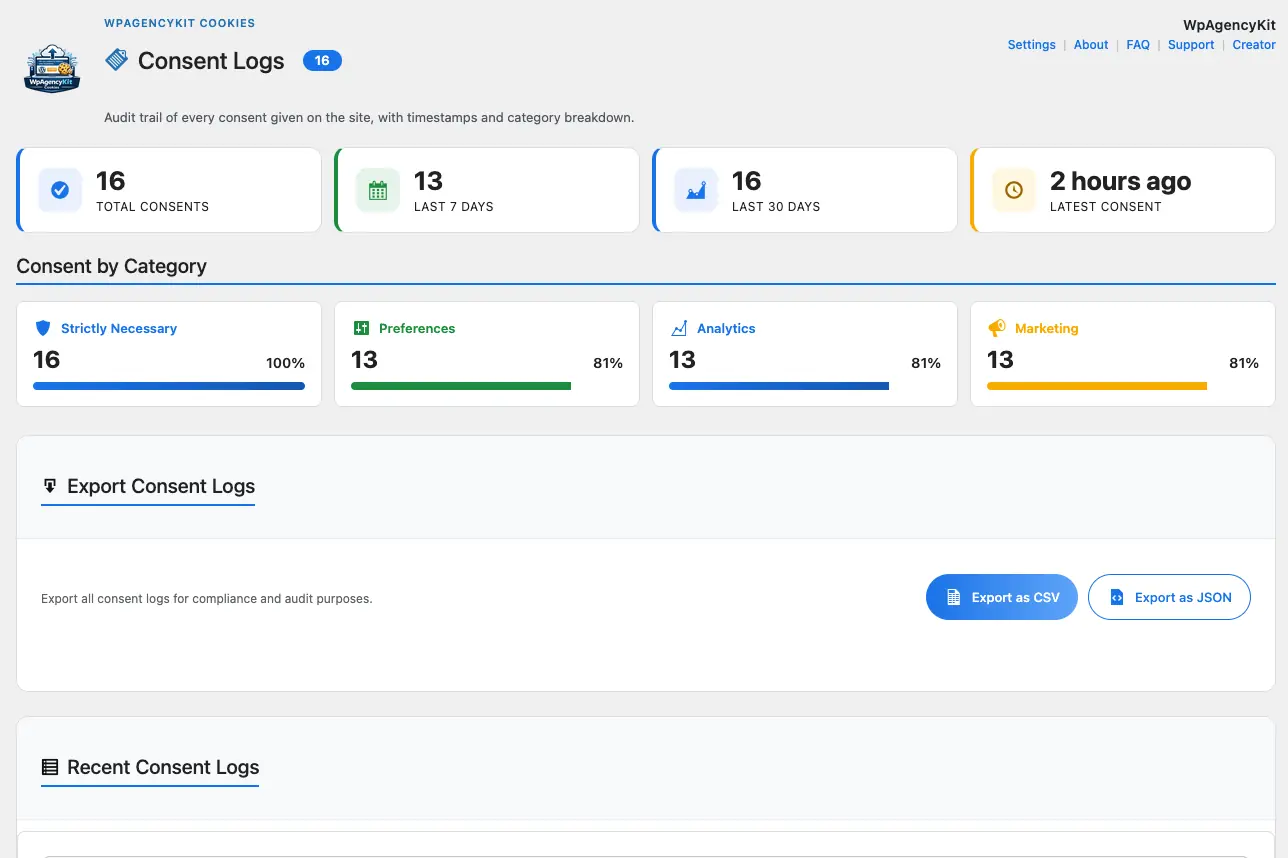
Top-level WordPress menu with six dedicated pages: Dashboard (status + KPI cards), Banner (layout + colours + typography + texts + categories), Trackers & Cookies, Consent Logs (CSV / JSON export), Settings, License. Every consent act saved in your own database.

Direct comparison

WPAK-Cookies vs Iubenda

Direct comparison. Real data.

Feature WpAgencyKit Cookies Iubenda CookieYes Complianz
Consent data hosting ✓ 100% on your server ✗ SaaS ✗ SaaS ✓ Self-hosted
Script blocking ✓ Server-side (type=text/plain) ✓ SaaS-side ✓ JS-side ✓ JS-side
Tracker preset library ✓ 20 curated ~ Manual lookup ~ Partial ✓ Wide
Automatic site scanner ✓ Built-in, 1 click ~ Limited
Custom trackers (no PHP) ✓ Admin UI ~ Per plan ~ Pro ~ Pro
Cookie declaration auto-gen ✓ Shortcode ✓ SaaS ~ Static
Per-domain pricing ✓ None ✗ €89+/domain/yr ✗ Per domain ~ One fee
Lifetime one-time payment ✓ In Agency Bundle ✗ Annual ✗ Annual
Staging sites ✓ Free, always ✗ Extra cost ~ Per tier
Editable UI texts ✓ Every string ~ Template-based ~ Per plan

Workflow

How it works

1

Install & scan (30 seconds)

Activate the plugin, open Trackers & Cookies, click "Scan my site". The scanner inspects your homepage and surfaces every third-party tracker it detects.

2

Enable with one click (2 minutes)

Review the detected trackers. Click "Enable all detected presets" or pick them individually. Override the consent category if you need stricter compliance (e.g. GA4 → Marketing instead of Analytics).

3

Customise the banner (5 minutes)

Edit every text string from the Banner → Texts section. Tune colours and typography. Match your brand.

4

Publish your Cookie Policy (1 line of code)

Drop [wpak_cookies_declaration] on your Cookie Policy page. The table of cookies per category generates automatically from your enabled trackers.

5

Audit any time

Export the consent log as CSV or JSON directly from the admin. Every consent act has timestamp, IP, user-agent, chosen categories.

Product screens

ScreenShot WPAK-Cookies

WPAK-Cookies preview artwork
WPAK-Cookies screenshot

FAQs

FAQs

Pre-sale

Is WpAgencyKit Cookies sold on its own, or only inside the Agency Bundle?

It ships inside the WpAgencyKit Agency Bundle together with four other premium plugins. The bundle is a one-time payment from €199 — no per-plugin purchase path, no recurring fee. You get every plugin in the bundle plus lifetime OTA updates for each.

One-time payment or subscription?

One-time payment for lifetime access, including every future update delivered over-the-air. There is no yearly renewal, no per-seat billing, no "unlock pro features" paywall inside the admin.

Are there per-domain fees? Can I install it on all my client sites?

No per-domain fees. Your licence covers unlimited production sites plus unlimited staging copies. Agencies can deploy WpAgencyKit Cookies on every client project without extra cost — a deliberate contrast with Iubenda / CookieYes, where each production domain is billed separately.

How does it compare to Iubenda, CookieYes and Complianz?

Iubenda and CookieYes host consent data on their own SaaS — the plugin is just a front-end to their cloud. Complianz is self-hosted but doesn't offer a built-in site scanner and its preset coverage is less curated. WpAgencyKit Cookies is fully self-hosted, ships a 20-tracker preset library, includes a one-click site scanner, and costs zero per additional site. See the comparison table above for the per-feature breakdown.

Is it suitable for freelancers and agencies managing multiple client sites?

Yes. The Bundle licence is site-unlimited, the top-level admin menu keeps the plugin discoverable for your clients, and the Cookie Declaration shortcode auto-maintains the Cookie Policy page so you don't re-edit static content every time a client enables a new tracker.

Can I use it on staging / development sites for free?

Always. Staging sites don't consume any per-domain slot because the licence is site-unlimited by design. You can clone production to a staging URL, run the scanner there, and keep both in sync without touching the licence.

Features & setup

Which trackers are supported out of the box?

Twenty curated presets: Google Analytics 4, Google Tag Manager, Microsoft Clarity, Hotjar, Matomo, Mixpanel, Amplitude, Plausible, Meta (Facebook) Pixel, Google Ads, DoubleClick, LinkedIn Insight, TikTok Pixel, Pinterest Tag, X (Twitter) Pixel, Snapchat, Reddit, YouTube embed, Google reCAPTCHA and Vimeo. Each preset carries script URL patterns, inline signatures for the scanner, and declarative cookie metadata for the Cookie Policy shortcode.

What if I use a tracker that isn't in the library?

Open Trackers & Cookies → Custom Trackers, fill in name, provider, consent category and one script URL substring per line. Optionally add the cookies it sets (name, duration, purpose) so they appear in the Cookie Policy. No PHP required. The server-side blocker treats custom trackers identically to the built-in presets.

How accurate is the one-click site scanner?

The scanner fetches your homepage, up to two recent posts, one recent page and (if present) the WooCommerce shop, then parses the HTML for <script src>, <iframe src> and known inline signatures (fbq(, gtag(, _paq.push, GTM-, and similar). It detects every tracker rendered in the initial HTML. It cannot see scripts injected at runtime by GTM or by SPA routers — those are still handled by the manual preset toggle. Results are cached for one hour; "Rescan" forces a refresh.

Does it block Google Tag Manager — and every tag GTM loads?

Yes. GTM is in the preset library. When visitors have not consented to Analytics, the GTM <script> is rewritten to type="text/plain" before the browser sees it, so no child tag fires. When consent is granted, the runtime re-activates GTM and every tag it manages. No race conditions, no "tracker slipping through" bug.

How do I generate the Cookie Policy page?

Drop [wpak_cookies_declaration] on any page. It renders a category-grouped table of every cookie set by the trackers you've enabled, with name, provider, duration and purpose. The table auto-updates whenever you toggle a tracker. Optional attributes: category="analytics,marketing" to limit the output, show_empty="1" to keep empty categories visible.

Can I translate / rewrite every piece of text shown in the banner?

Yes. Every visible string — banner title, subtitle, message, three action buttons, "Required" badge, close label, save success message, plus the four category titles and descriptions — is editable from the Banner → Texts subpage via a single text field. Leave a field empty to keep the translated default. Full multilingual support via wpak-translate is on the roadmap.

Technical & compliance

Does the plugin make any external API calls?

No — with one exception. Banner rendering, consent log, script blocking and cookie declaration all run on your WordPress server with zero external requests. The only outbound request is the periodic licence check against WpAgencyKit's activation server, identical to every other plugin in the bundle.

Where are consent logs stored? Can I export them?

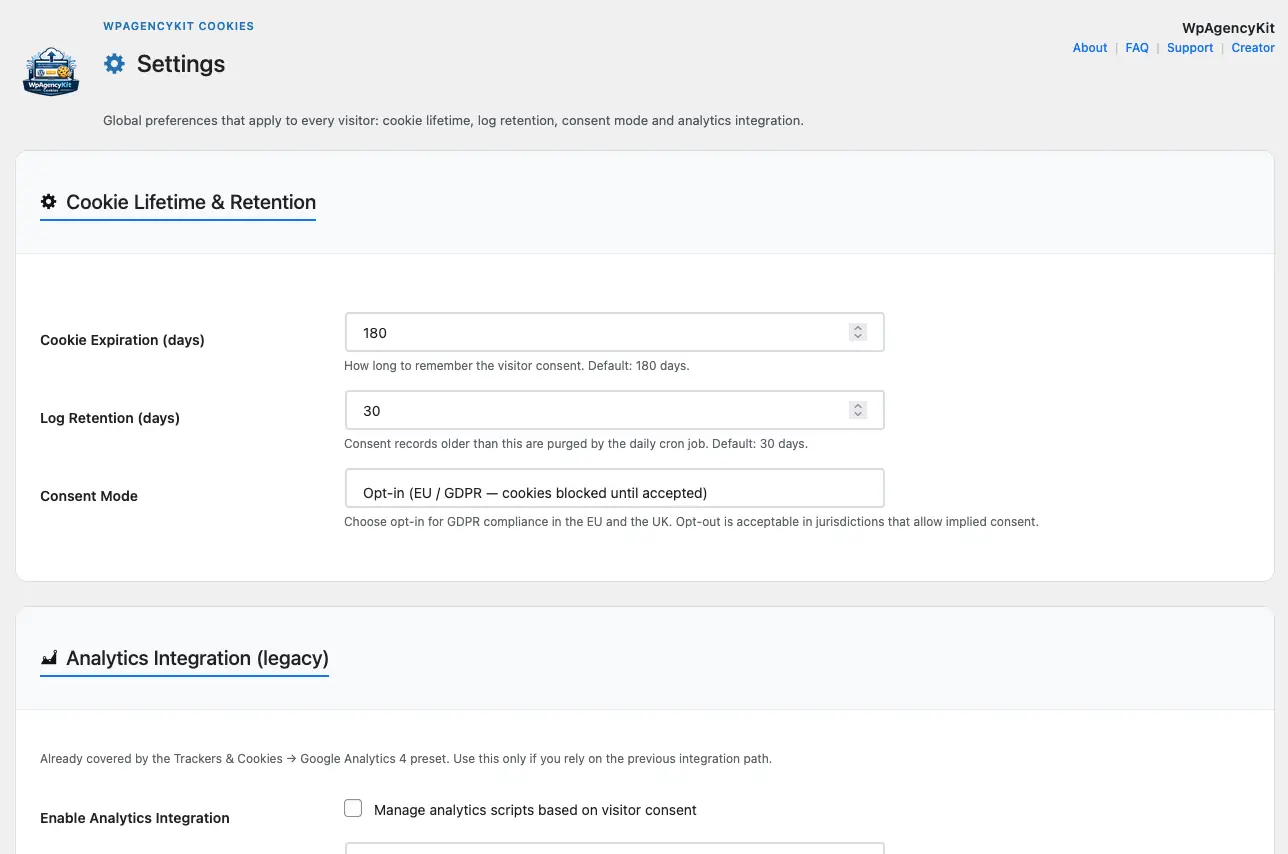
In a dedicated table inside your own WordPress database. Each record contains UTC timestamp, IP, user-agent and the list of categories the visitor granted. Export as CSV or JSON from Consent Logs at any time. Retention is configurable from 1 to 3,650 days (default 30); the cleanup runs via a daily cron job.

Opt-in or opt-out consent mode?

Both. The default is opt-in (required for EU / UK GDPR — cookies are blocked until the visitor explicitly accepts). Switch to opt-out from Settings → Consent Mode if your jurisdiction allows implied consent.

Is it GDPR-ready?

WpAgencyKit Cookies implements prior-consent blocking (art. 7), granular per-category opt-in, machine-readable consent records with timestamp and IP (art. 7.1 — demonstrable consent), and the Cookie Declaration shortcode covers art. 13 transparency on the Cookie Policy page. The plugin handles the technical side of GDPR. It does not replace legal counsel for your Privacy Policy copy or your specific legal basis.

Does it work with cache plugins (WP Rocket, LiteSpeed, Cloudflare, CDN in general)?

Yes. Script blocking happens server-side at WordPress render time — the blocked <script type="text/plain"> tags are baked into the HTML before the cache layer stores the page. Visitors always receive consent-safe markup regardless of cache status. For the frontend runtime, cache-bust on plugin version bump; automatic via WPAK_COOKIES_VERSION enqueue parameter.

What are the WordPress and PHP version requirements?

WordPress 5.8 or later and PHP 7.4 or later. Tested up to WordPress 6.9. The plugin follows WordPress coding standards and does not use any deprecated API.

Included in the WpAgencyKit Bundle

5 premium plugins. One payment. Yours forever.

Get the Bundle — from €199

All 5 plugins · Lifetime OTA updates · Staging always free

Login

Cookie settings

Choose by category.

We only use the right cookies, we promise. The technical ones are there to make the site work as it should, the others – only if you give us the ok – to make your experience more comfortable and tailored. "We're not here to spy on you, just to remember who you are." You choose: accept all, reject or customize.

Strictly Necessary Required
These cookies are essential for the website to function properly and cannot be disabled.
Preferences
These cookies allow the website to remember choices you make and provide enhanced functionality and personalization.
Analytics
These cookies help us understand how visitors interact with the website, helping us improve our website and services.
Marketing
These cookies are used to track visitors across websites to display relevant advertisements.