



A visitor sees “Message sent”. The agency closes the ticket. A week later the client says nobody ever received the enquiry. Both observations can be true: the form accepted the submission, but the person responsible for answering never saw it.
A WordPress contact form delivery test should end at the agreed destination, not at the thank-you message. Before a holiday handover, run one recognisable test and agree who will notice the next failure.
Decide what success looks like for this form
Ask the client where a real enquiry should finish. For a small practice that might be a shared inbox; for a sales team it might be a new CRM record with a named owner. Some forms do both. Put those destinations on the test sheet separately: an email receipt does not demonstrate that a CRM record was created.
Arrange a test window. Use an address you control, a made-up enquiry and a unique reference such as FORM-CHECK-DEC-A. If the form triggers customer automations, agree how to identify and close the test with the recipient. Don't use a real customer's details or pretend to place an order.
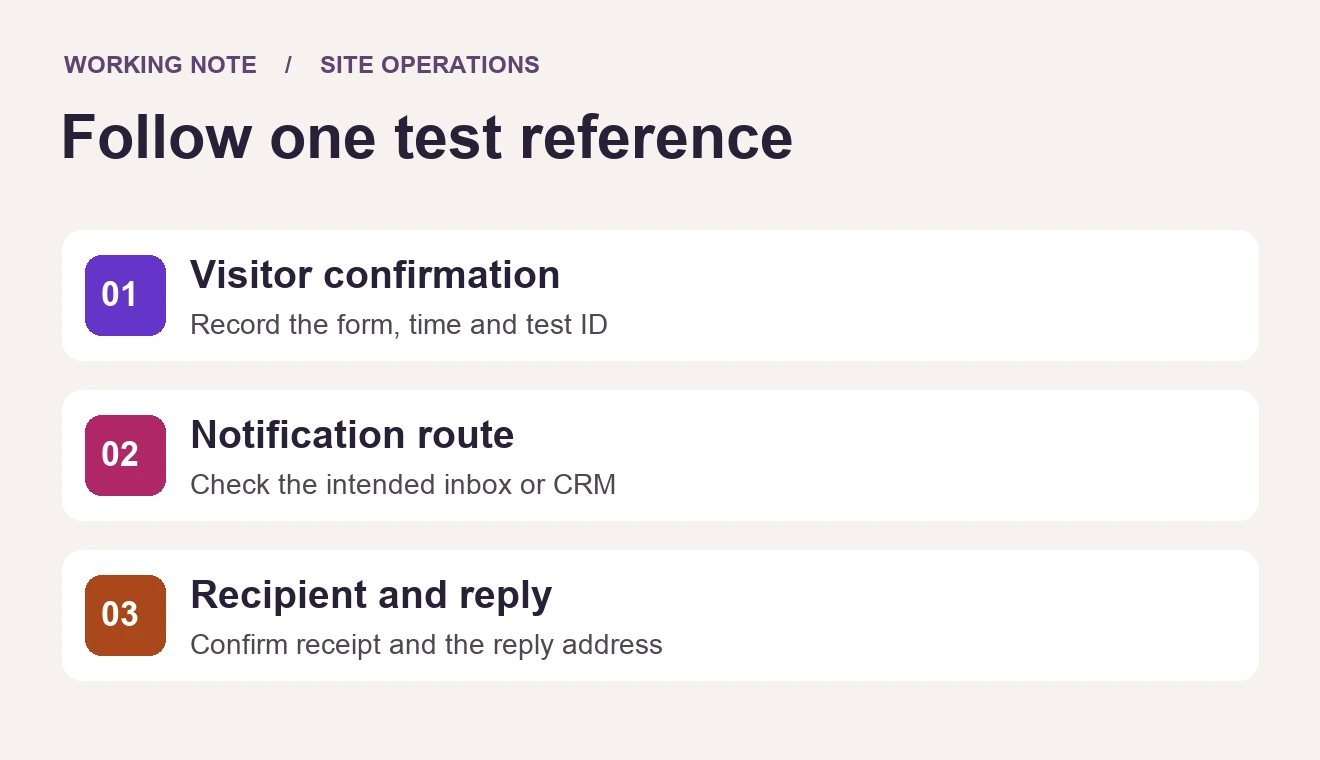
Follow the reference from the page to the person
- Submit the public form as a visitor. Record the page, time and confirmation message. If there are language-specific forms or recipients, test the route the client actually advertises.
- Check the stored entry if the form is configured to retain entries. No entry list is not automatically a failure; some forms are intentionally set up without one.
- Ask the recipient to find the exact reference in the intended shared inbox or CRM. Checking the sender's own inbox is not a substitute.
- Reply from the shared inbox to the test message. Confirm that the reply goes to the address submitted in the form, not to the site's sending address or an unattended mailbox.
Use the missing step to narrow the investigation
Confirmation, but no expected entry: check validation and the form's storage settings. Entry present, but no notification: inspect the enabled notification, recipient rule and any delivery record your mail service provides. Delivery recorded, but the team sees nothing: check quarantine, shared-mailbox rules and CRM assignment with the recipient. Do not change the sending configuration and the recipient rule together; the next result would tell you very little.
WordPress documents the limit of wp_mail(): even a successful return is not proof that the recipient received the message. Similarly, a thank-you page is useful evidence for the visitor step, not for the inbox step.
Run one reference per route
Many sites have more than one route. Suppose a client has an English contact form, an Italian contact form and a quote request form. Give each its own reference, such as FORM-CHECK-DEC-A, -B and -C, and submit them a few minutes apart so the recipient can tell them apart without opening every message.
Now suppose A and C arrive as expected, but B never appears in the Italian team's inbox. The confirmation message appeared and the stored entry exists, so the failure sits after the form accepted the submission. Check the Italian form's notification recipient before anything else: a language-specific form often has its own recipient rule, copied from an older version of the site. Change that one rule, submit a new reference such as FORM-CHECK-DEC-B2 and ask the same recipient to confirm it.
Record B and B2 as separate rows. The first shows the failure the client would have experienced; the second shows the fix. A single row saying “all forms working” hides the fact that one route was broken until today, and gives the next person nothing to compare with.
Leave a handover somebody can repeat
A workable record is one row per route tested:
| Column | What to record | Example entry |
|---|---|---|
| Form URL | The public page the visitor used | The contact page, English version |
| Reference | The unique text submitted in the test | FORM-CHECK-DEC-A |
| Expected destination | Every place a real enquiry should finish | Shared sales inbox and a CRM record with a named owner |
| Observed result | What the recipient actually found, with the time | Email found in the shared inbox; CRM record created; reply reached the test address |
| Person who confirmed | The recipient, not the person who submitted the form | The client's office manager |
| Next test date | When the route will be checked again | After the next form change, and before the next closure |
Keep references and timestamps rather than copying the contents of client inboxes into project tickets. If nobody owns the shared inbox during the closure, nominate a cover person before marking the route ready.
Add that one-line test to the agency site operations checklist. If a recent deployment changed the form, follow the site's plugin update process and repeat the same test afterwards. Deploy2WP is an option for managing that release step; it does not verify inbox delivery. The WpAgencyKit Bundle lists the other site-management tools.